Credit Card Statement Converter
Turn historical PDF credit-card statements into reviewed transaction files while keeping payments, purchases, credits, and statement balances visible.
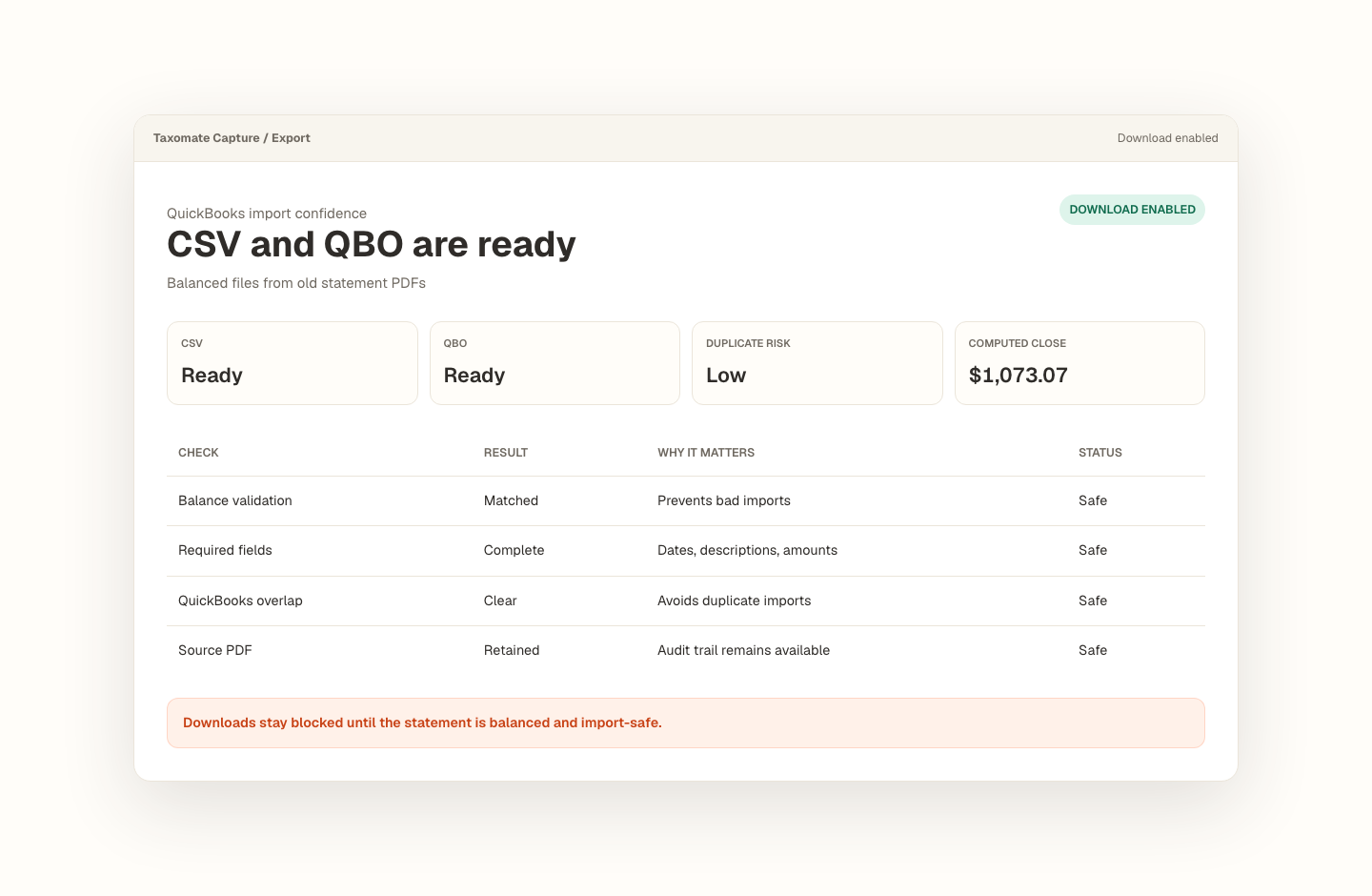
Opening balance plus transactions must tie to the statement closing balance.
Missing dates, balance gaps, and import blockers stay visible before export.
Export stays blocked until the reviewed statement is safe to use.
How do I convert a PDF credit-card statement into CSV, Excel, or QBO?
Upload the credit-card PDF, review purchases, payments, refunds, fees, and their signs, and compare the extracted activity with the statement balance before export. Taxomate Capture produces CSV, Excel, or QBO from the reviewed rows while keeping source pages and warnings available for transactions that need attention.
Card activity needs statement-level proof.
Credit-card statements mix purchases, payments, refunds, fees, and credits. Taxomate Capture keeps those rows attached to the source statement and checks the resulting activity against the statement balance before export.
- Upload a PDF credit-card statement for one account and period.
- Review purchases, payments, credits, warnings, and the balance check.
- Export CSV, Excel, or QBO after blocking issues are resolved.
QuickBooks sources: Intuit: upload bank and credit-card transactions
What trips people up.
- Payments and refunds can be mistaken for purchases when signs are extracted incorrectly.
- Employee-card sections and account summaries may need separate review.
- A plausible transaction table can still be incomplete if it does not reconcile to the statement.
Proof stays with the file.
The source statement, extracted rows, balance check, rows to review, and export state stay in one workflow.
- Purchases, payments, credits, and fees remain visible during review.
- Source pages and warnings help resolve wrapped descriptions or unclear signs.
- CSV, Excel, and QBO exports stay blocked while statement-level issues remain.
- Reviewed rows are the source for QBO, CSV, and Excel exports.
For bookkeepers converting historical credit-card statements for cleanup and reconciliation.
Recover missing transaction history without treating raw extraction as finished bookkeeping. Every conversion keeps the source, review decisions, balance proof, and export state together.
Frequently asked questions
How should credit-card payments and refunds appear after conversion?
Purchases and fees normally increase the card balance, while payments and refunds normally reduce it, but statement conventions vary. Review the amount sign, description, and running balance together instead of relying on a single column label. A reversed payment or refund can make a complete-looking extraction reconcile incorrectly.
Can QuickBooks Online import a credit-card statement PDF directly?
Yes. Intuit currently says QuickBooks Online accepts English-language bank or credit-card account statements in PDF or image form. Use Taxomate Capture when you need reusable QBO, CSV, or Excel files, a visible reconciliation trail, or controlled review of purchases, payments, refunds, and fees before import.
What if one statement contains multiple employee cards?
Confirm whether the statement provides one combined account balance or separate card-level sections. Preserve card identifiers and source pages during review, and do not assume each subsection is an independent account. Multi-card layouts need representative testing before the exported rows can be trusted for account-level reconciliation or import.
Convert your first statement.
Create a private Taxomate Capture workspace, upload one bank or credit-card PDF, review the extracted rows and balance check, then export QBO, CSV, or Excel. Your saved workspace keeps the source and review trail together.
- Create or sign in to your private account
- Keep each account and statement period organized
- Review reconciliation and flagged rows before export
- Delete saved statement data from your workspace when finished