Create a cleanup project
Group old bank and card statements by client, month, account, and QuickBooks destination.
Customer guide
See how old PDF bank and credit-card statements move from upload, to reviewed rows, to balanced QBO, CSV, and Excel exports.
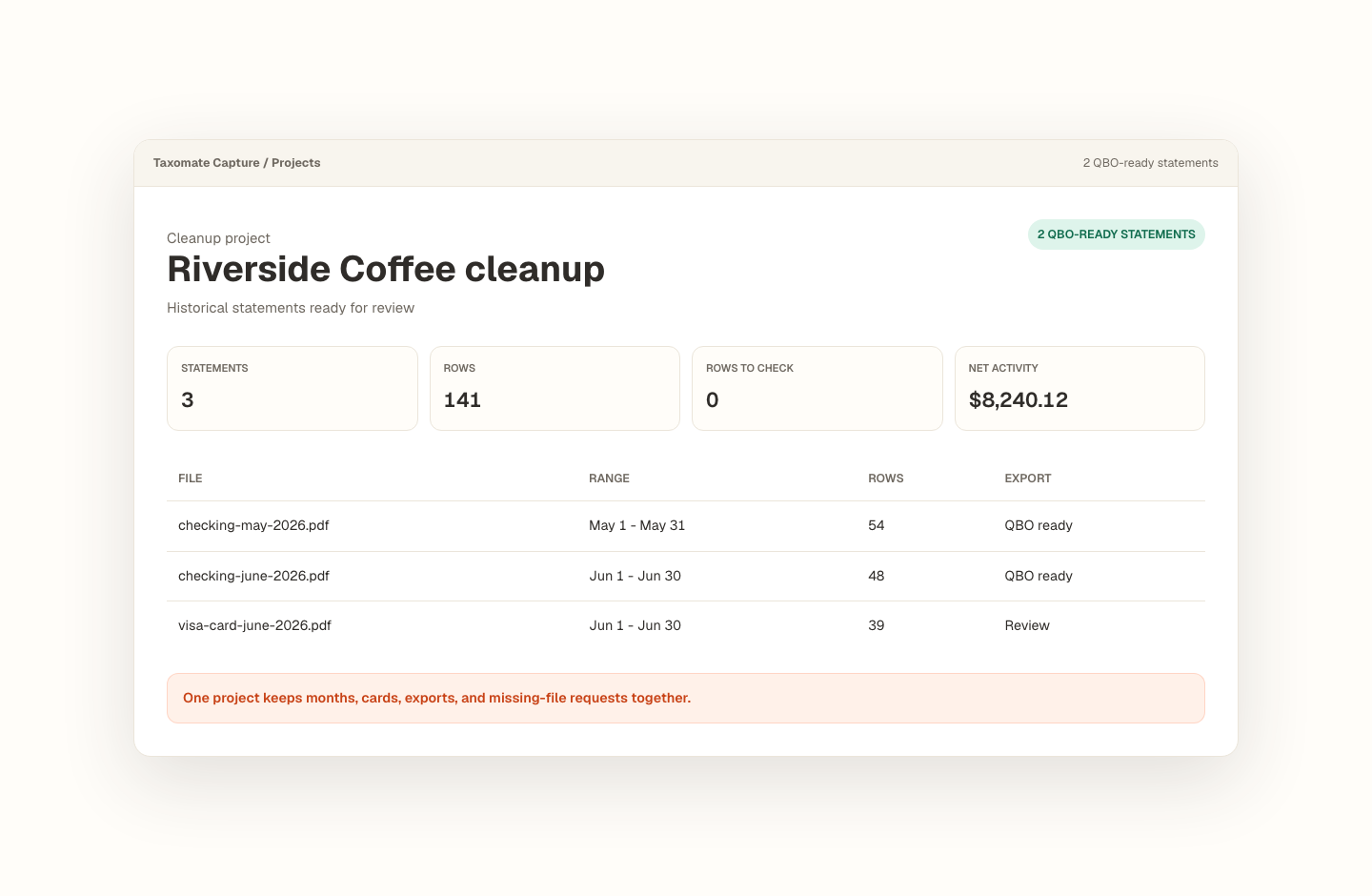
Group old bank and card statements by client, month, account, and QuickBooks destination.
Dates, descriptions, amounts, balances, and warnings stay visible so unsafe rows can be fixed before export.
QBO, CSV, and Excel downloads stay blocked until the computed closing balance matches the statement.
What does review look like?
Taxomate Capture shows the extracted transactions, balance checks, rows to review, and export status in one place. The sample data in these screens is fictional to protect customer privacy.
A cleanup project keeps multiple months and accounts together.
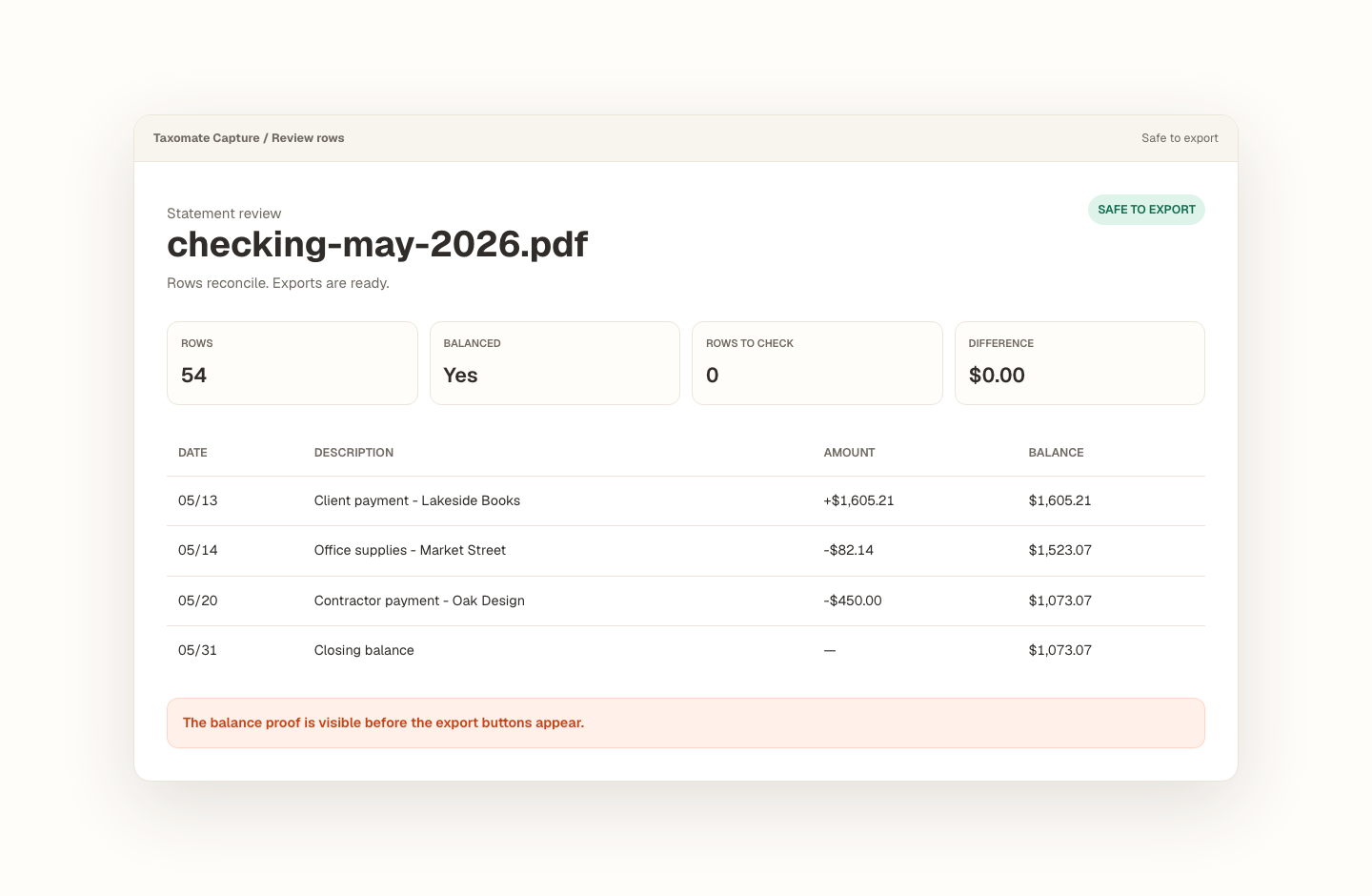
Rows reconcile before export actions appear.
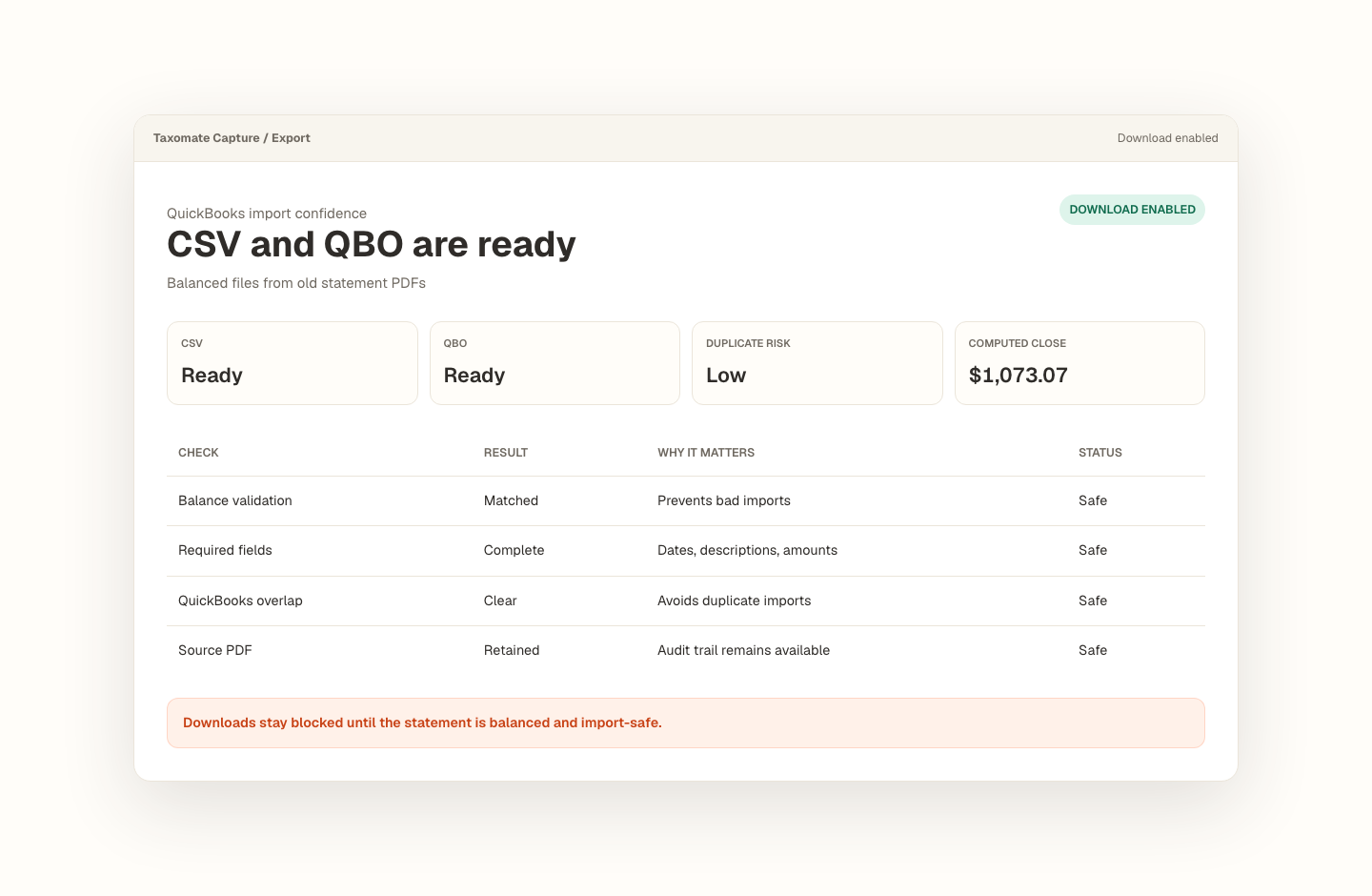
CSV and QBO downloads are enabled only after import checks pass.
Why is export gated?
Historical cleanup work is risky when missing rows, wrong signs, or duplicate periods slip into QuickBooks. Taxomate Capture keeps exports blocked until the reviewed rows tie back to the statement.
The best sample is one old statement from the same kind of cleanup job you need to finish.
The goal is not just extraction. The goal is a reviewed file you can test in QuickBooks with the balance proof still attached.