Import Old Bank Statements into QuickBooks
When bank feeds stop at 90 days, last year, or a closed account, the safe path is statement extraction, review, and reconciled import files.
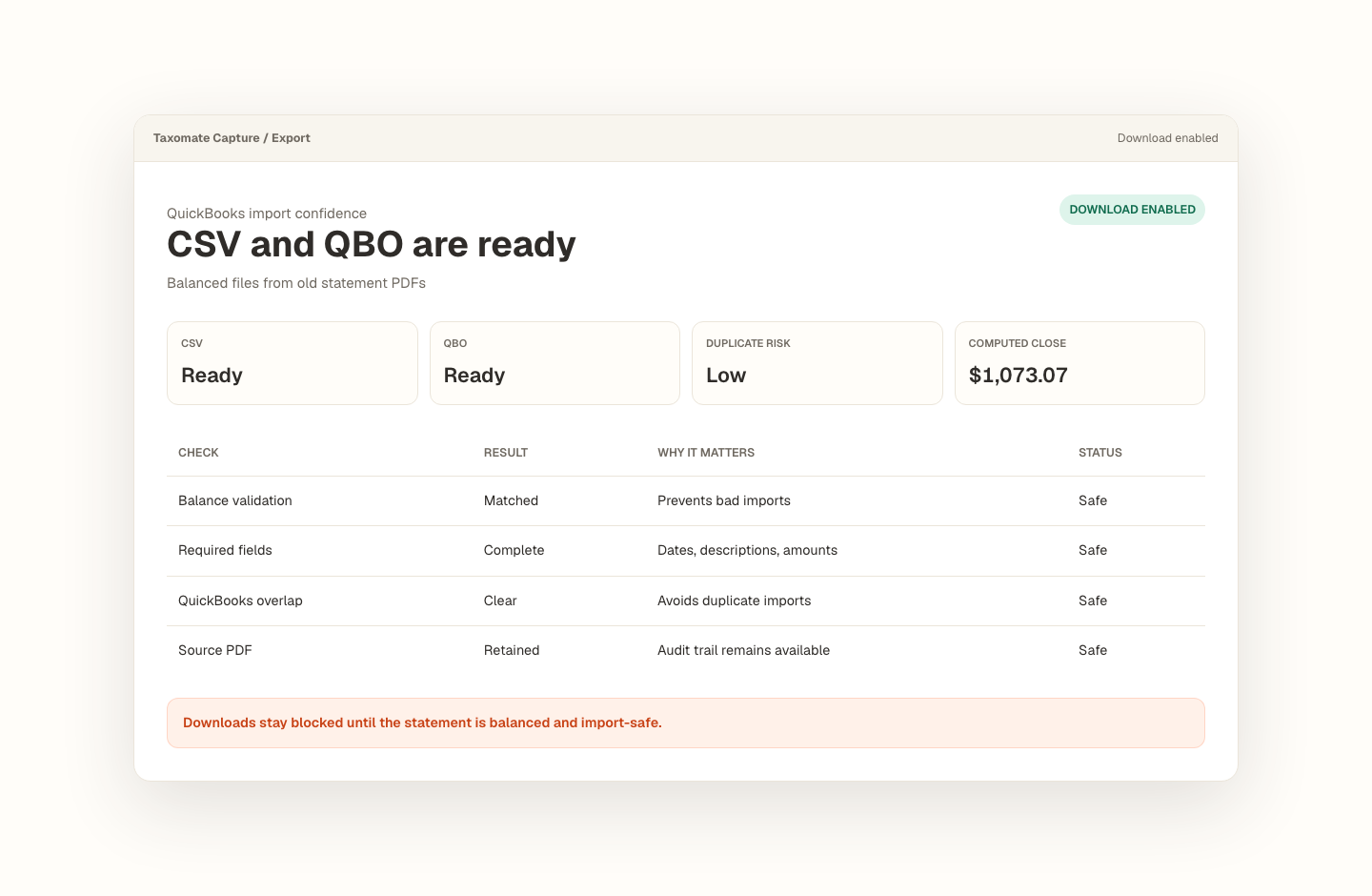
Opening balance plus transactions must tie to the statement closing balance.
Missing dates, balance gaps, and import blockers stay visible before export.
Export stays blocked until the reviewed statement is safe to use.
How do I import old bank data into QuickBooks when the bank feed will not go back far enough?
Prior-year cleanup needs a reviewable trail.
Taxomate Capture is shaped around the recurring bookkeeping problem: the client is behind, bank feeds are incomplete, and the only durable source is a stack of statements.
- Collect statements for the missing months or years.
- Extract rows and compare computed closing balance against the statement.
- Review exceptions, then export CSV or QBO for QuickBooks.
What trips people up.
- Some banks only provide a limited transaction history through feeds.
- Closed accounts often leave PDFs as the only practical source.
- Importing years of activity without balance checks can create expensive reconciliation cleanup.
Proof stays with the file.
The source statement, extracted rows, balance check, rows to review, and export state stay in one workflow.
- Sample metadata captures issuer, date range, page count, and balance visibility.
- Evaluation reports show whether extraction is good enough to continue.
- Rails review keeps corrected rows and export state together.
- Reviewed rows are the source for QBO, CSV, and Excel exports.
For bookkeepers catching up clients who are months or years behind.
Recover missing transaction history without treating raw extraction as finished bookkeeping. Every conversion keeps the source, review decisions, balance proof, and export state together.
Frequently asked questions
How do I import old bank data into QuickBooks when the bank feed will not go back far enough?
Taxomate Capture is shaped around the recurring bookkeeping problem: the client is behind, bank feeds are incomplete, and the only durable source is a stack of statements. Collect statements for the missing months or years. Extract rows and compare computed closing balance against the statement. Review exceptions, then export CSV or QBO for QuickBooks.
How does Taxomate Capture check a converted statement?
It keeps the opening balance, extracted transactions, calculated closing balance, statement closing balance, and any flagged rows together. Export remains unavailable until blocking issues are resolved.
Which file formats can I export?
A reviewed, balanced statement can be exported as QBO for a QuickBooks Web Connect workflow, CSV for flexible imports, or a native Excel workbook with transaction and reconciliation sheets.
Convert your first statement.
Create a private Taxomate Capture workspace, upload one bank or credit-card PDF, review the extracted rows and balance check, then export QBO, CSV, or Excel. Your saved workspace keeps the source and review trail together.
- Create or sign in to your private account
- Keep each account and statement period organized
- Review reconciliation and flagged rows before export
- Delete saved statement data from your workspace when finished