Bank Statement Conversion Quality Checklist
A practical review checklist for deciding whether converted bank or credit-card statement data is safe to export and import.
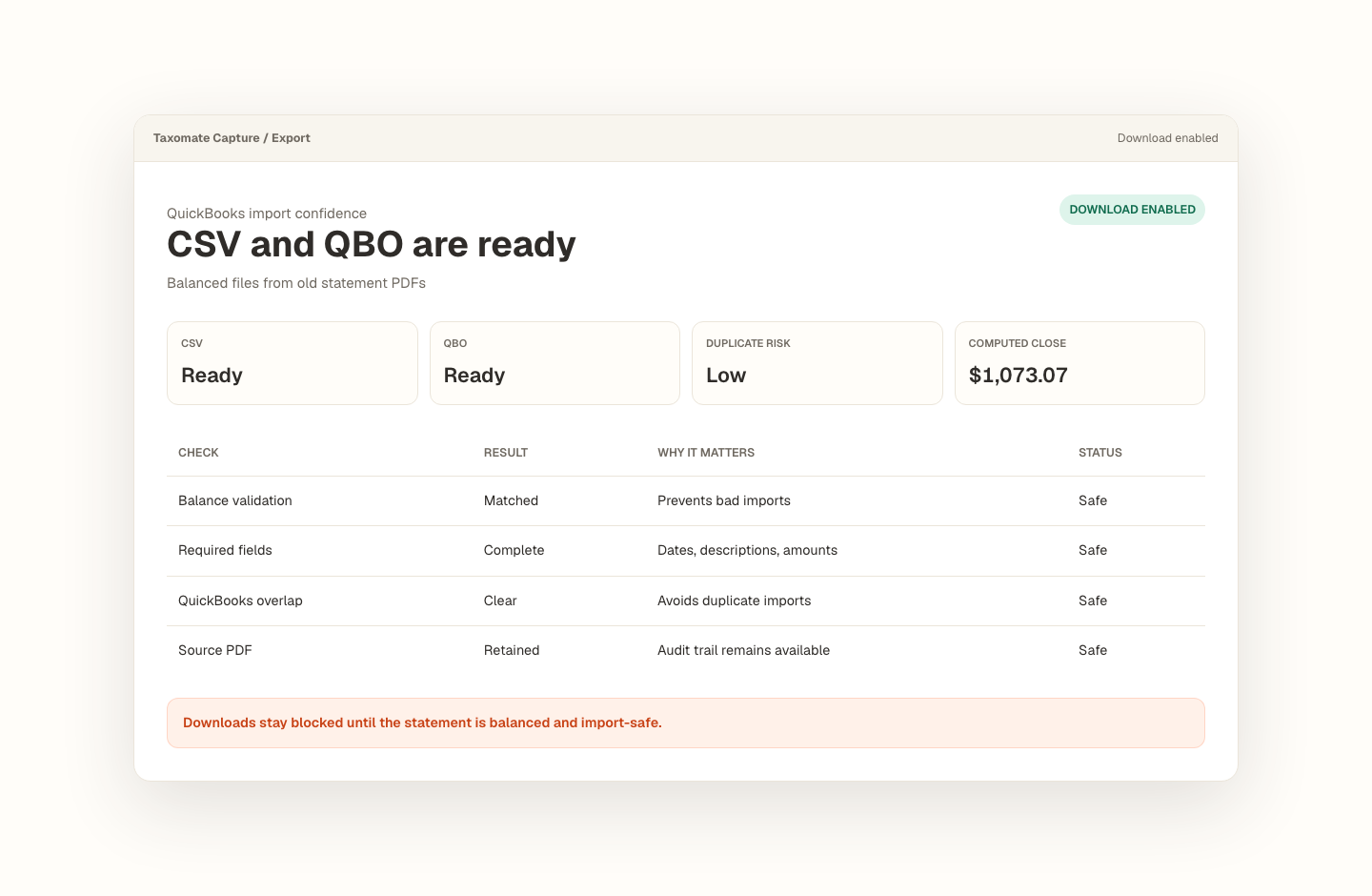
Opening balance plus transactions must tie to the statement closing balance.
Missing dates, balance gaps, and import blockers stay visible before export.
Export stays blocked until the reviewed statement is safe to use.
How do I check whether a converted bank statement is accurate?
Check that the statement period and account are correct, review dates and debit-credit signs, compare opening balance plus net activity with the statement closing balance, inspect warnings and wrapped descriptions, and look for overlap with transactions already imported. A plausible table is not enough unless the statement-level evidence agrees.
Use statement evidence, not visual plausibility.
Taxomate Capture keeps the source statement, normalized rows, warnings, balance calculation, review changes, and export state in one workflow so each check can be resolved before a file is downloaded.
- Confirm the account, statement period, and visible opening and closing balances.
- Review row count, dates, descriptions, signs, warnings, and the calculated balance difference.
- Check the destination account for overlapping activity before exporting QBO, CSV, or Excel.
QuickBooks sources: Intuit: prepare and review manual QuickBooks uploads
What trips people up.
- Two reversed signs can offset each other and still leave a zero balance difference.
- Wrapped descriptions can create apparent extra rows or hide a transaction continuation.
- A clean file can still duplicate activity already present in QuickBooks.
Proof stays with the file.
The source statement, extracted rows, balance check, rows to review, and export state stay in one workflow.
- Opening, calculated closing, and statement closing balances remain visible together.
- Source pages, confidence, and warnings stay attached to reviewable rows.
- Exports remain blocked for unresolved reconciliation, row-validation, or project-overlap issues.
- Reviewed rows are the source for QBO, CSV, and Excel exports.
For bookkeepers reviewing converted statement data before accounting import.
Recover missing transaction history without treating raw extraction as finished bookkeeping. Every conversion keeps the source, review decisions, balance proof, and export state together.
Frequently asked questions
Does a zero balance difference prove every row is correct?
No. A zero difference is strong statement-level evidence, but offsetting mistakes can still cancel each other out. Review transaction count, dates, descriptions, signs, duplicate-looking rows, source pages, and low-confidence warnings as well. The balance check should be one gate in the review process, not the only gate.
Why do payments or withdrawals sometimes have the wrong sign?
Statement layouts use different debit, credit, withdrawal, deposit, payment, and amount conventions. A converter may also infer signs from column position or surrounding text. Check the description and running balance together, then correct the normalized amount before export. Reversed signs can produce misleading totals and unsafe imports.
How can I avoid importing duplicate historical transactions?
Compare the statement date range with the oldest and newest transactions already present in the destination account. Intuit recommends checking the chart of accounts and existing transaction history before a manual upload. When rebuilding multiple periods, track an imported-through date and block overlapping exports until the conflict is resolved.
Convert your first statement.
Create a private Taxomate Capture workspace, upload one bank or credit-card PDF, review the extracted rows and balance check, then export QBO, CSV, or Excel. Your saved workspace keeps the source and review trail together.
- Create or sign in to your private account
- Keep each account and statement period organized
- Review reconciliation and flagged rows before export
- Delete saved statement data from your workspace when finished